
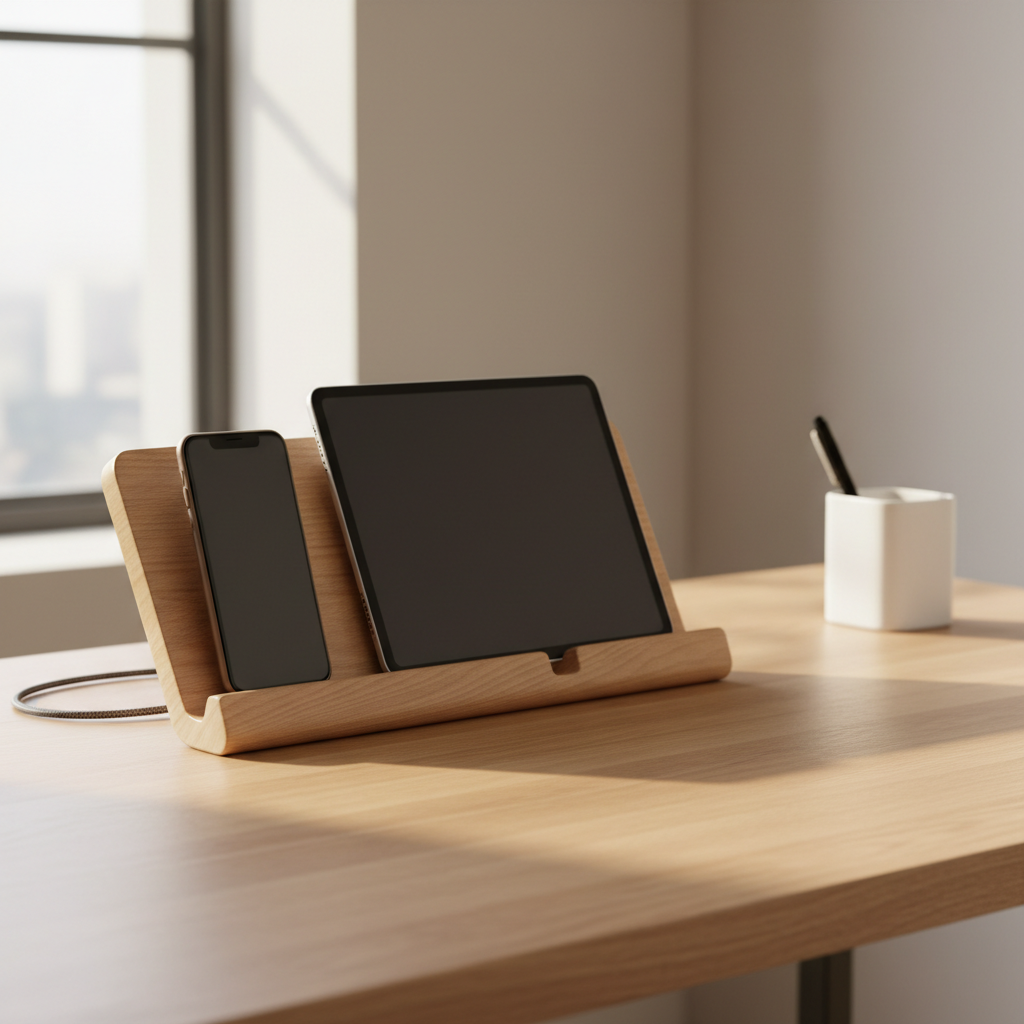
Woodworkers will tell you to plan your cable routing before you cut a single board, and there's a reason for that. A charging station looks simple until you've glued everything shut and realized your USB-C brick won't fit through the channel you left for it.
A wooden phone and tablet charging station is one of the more satisfying weekend builds you can tackle. Materials cost less than $30 at any home center, and the finished piece beats every plastic organizer on the market for desk presence. But the gap between a clean build and a frustrating one comes down to three variables most plans skip: slot width per device, the cable entry angle, and whether your power strip or charging brick lives inside the base or outside it.
This guide covers a single-tier desktop station holding two to four devices. It won't address wall-mounted versions or builds requiring electrical work, because those involve different safety considerations entirely.
What You'll Need Before You Cut Anything
The tension hiding in most charging station builds is this: the woodworking is easy, but the electrical geometry is not. Get the geometry wrong and you'll have a beautiful box that throttles your cables or forces you to reroute cords across your desk anyway.
For lumber, 1×6 pine or poplar works well. Pine is cheaper; poplar takes stain more evenly and machines cleaner. You'll need roughly four linear feet for a station holding three to four devices. A piece of 1/4-inch plywood or hardboard for the back panel keeps the build rigid without adding weight.
Hardware and supplies to gather before you start: a 1-1/4 inch Forstner bit for cable pass-throughs, 120- and 220-grit sandpaper, wood glue, clamps, and either a table saw or a circular saw with a straightedge guide. A router with a 1/4-inch roundover bit is optional but makes the slots look finished. A drill press makes the Forstner holes cleaner, though a hand drill works.
For finishing, wipe-on polyurethane is the practical choice for a desk piece. It doesn't require brushing skills, levels itself, and holds up to the oils and friction a charging station sees every day. Two coats are enough.
Cutting and Sizing Your Slots
Slot width is where cheap plans fail you. A slot that fits your current phone won't fit a phone in a thick case, and a slot cut for a full-size iPad will let a smaller phone flop around and scratch.
A common guideline used by furniture makers is to cut slots about 1/4 inch wider than the thickest device you expect to charge, measured at the widest point including the case. For a cased iPhone, that's typically around 0.4 to 0.5 inches thick. For a cased tablet, plan around 0.55 to 0.65 inches. These are practical heuristics, not spec-sheet figures, so measure your actual devices before cutting.
Or rather: measuring your devices is the only reliable method. A slot built from online specs for a phone you don't own is a guess. Set your device flat on the board and trace it, then add your margin.
Slot depth matters too. A slot that grips a device at 1.5 inches deep holds it more securely than one at 3/4 inch, which tends to tip under the weight of a cable. Keep slot spacing at least 1.5 inches apart on center so cables don't fight each other at the bottom.
Cut slots with a jigsaw after drilling a starter hole at each corner. Clean up the walls with a file or a folded piece of 120-grit. Rough slot walls scratch device cases fast.
Cable Routing: The Part That Decides Whether This Works
The cable entry is the real engineering problem in this build. You have two options: route cables through a channel in the base from an exterior power strip, or house a multi-port USB charger inside a hollow base with one cord exiting clean out the back.
The hollow base approach is cleaner on the desk and worth the extra work. Build the base as a shallow box: two side pieces, a front, a back, and a bottom. Leave the top open so the station body sits on it. Cut a 1-1/4 inch hole through the back panel for the single power cord exit. A multi-port USB-A and USB-C charger like the Anker 543 or similar 65W desktop units fits neatly inside a base that's 3 inches tall, 4 inches deep, and as wide as your station. (Verify your specific charger's dimensions before building the base around it.)
Cable pass-through holes in the slot floor should angle slightly toward the back of the station, not straight down. A 10-to-15-degree angle keeps cables from kinking at the bend where they enter the device port. Drill these with your Forstner bit after the station body is assembled but before gluing it to the base.
If you skip the hollow base and route cables externally, you haven't saved time, you've just moved the clutter from inside the box to your desk surface. The whole point of building this is a clean result.
Assembly, Glue-Up, and Finishing
Dry-fit everything before any glue touches wood. This sounds obvious and gets skipped constantly. A dry fit catches the slot that's 1/16 inch too narrow, the base that sits slightly racked, and the back panel that's 1/8 inch short.
Glue the station body first: back panel into the side dadoes if you've cut them, or butt-joined with glue and 1-1/4 inch brad nails if you haven't. Clamp for 30 minutes minimum. Then glue the body to the base with the cable holes aligned. A bead of glue around the perimeter is enough; you don't need mechanical fasteners if the joint is flat and clamped.
Sand in sequence: 120 grit to remove mill marks and level any joints, then 220 grit to prep for finish. Don't skip the 120. Jumping straight to 220 on pine leaves scratches that show under any stain.
Apply wipe-on poly with a lint-free cloth in thin coats. Let the first coat dry fully, which takes about two hours at room temperature, then lightly scuff with 320-grit before the second coat. Two coats give enough build for a desk piece. Three if you want a harder surface.
The station is ready to use when the final coat is fully cured, not just dry to the touch. That framing misses something: surface dry and through-dry are different states. Wipe-on polyurethane typically reaches full cure in 24 to 72 hours depending on temperature and humidity. Set it aside and let it finish.
What Can Go Wrong and When to Adjust
The main recommendation here, a hollow base with internal charger, weakens in one specific scenario: if you charge devices that draw high wattage simultaneously, like a tablet and a laptop. A shared multi-port charger will throttle output to each port when all ports are loaded. You'd notice this as slower-than-expected charge times. The fix is either a higher-wattage unit or a power strip in the base instead of a charger, running individual dedicated bricks per device.
Anyone building this for a shared household charging station with four or more high-draw devices should size up the internal power solution before building the base dimensions around a smaller unit.
If you skip building the hollow base entirely and leave cable management unresolved, you'll have a slot holder that looks good empty and creates a rat's nest the moment cables are plugged in. The clean desk you built this for won't exist.
Finishing Touches and Placement
Add felt or rubber feet to the base bottom. A station without them will slide on a smooth desk every time you pull a phone out one-handed. Four adhesive rubber bumpers from any hardware store cost about $2 and solve this permanently.
I'd start with a natural finish or light stain rather than a dark one. Dark stains on pine show blotching unless you use a pre-conditioner first, and the blotching looks worse on a small piece where the eye has nowhere else to go.
Position the station toward the back of your desk, within cable reach of your primary outlet or power strip. The single cord exit at the back of the base should point toward the wall, not across the desk surface. That one placement decision determines whether the finished build looks intentional or improvised.